Guides ·
How to Check a Hotel Room or Airbnb for Hidden Cameras (a 2-Minute Routine)
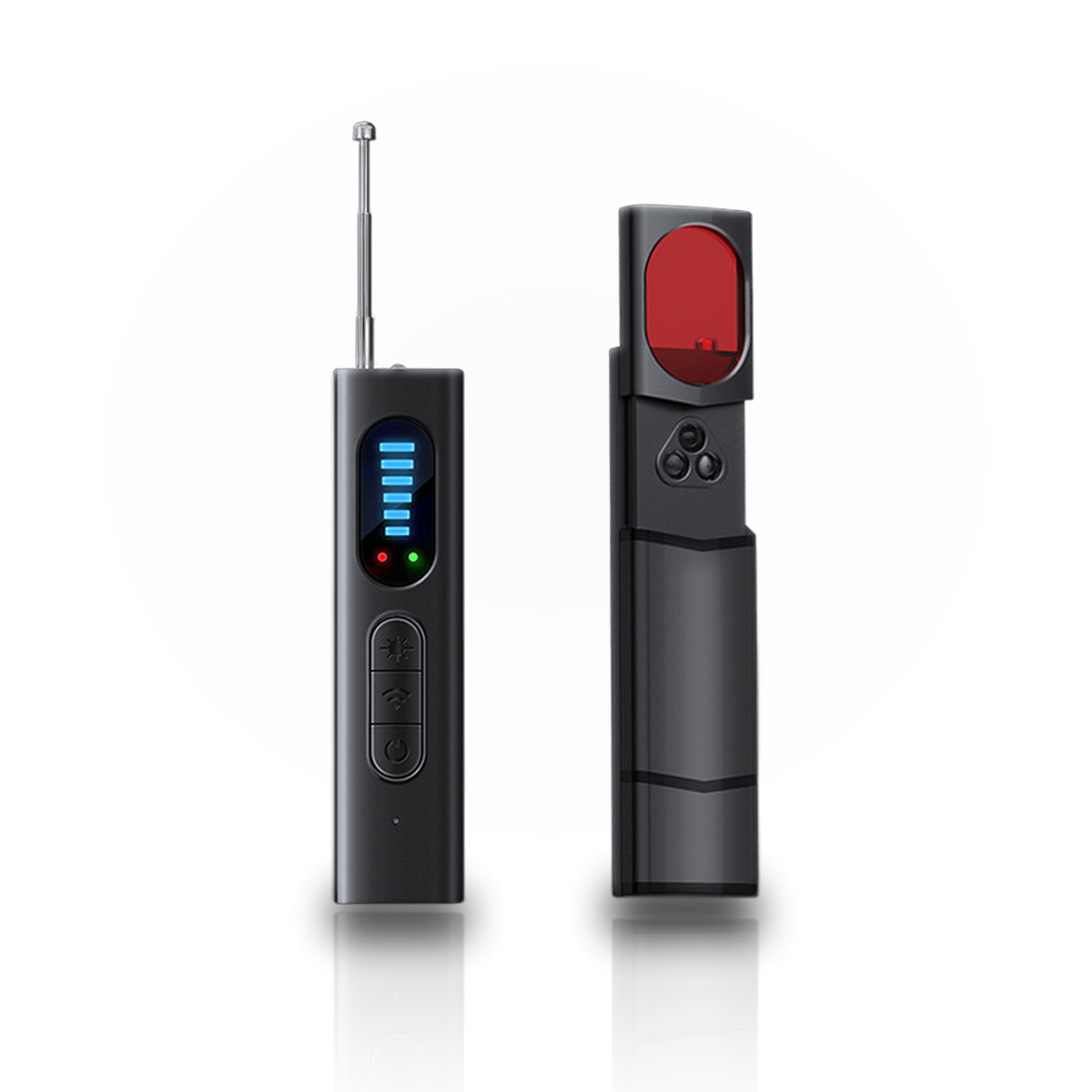
Save it for your next trip: Download our free, one-page hotel privacy checklist to print or keep on your phone. No signup required.
Most stays are fine. But in a June 2025 survey of 1,050 U.S. adults, 58% said they worry about hidden cameras in rentals and 64% said they don't know how to check for them (IPX1031). The good news: a solid check takes about two minutes and needs nothing more than a light, your eyes and, ideally, a detector. Do it before you unpack, while the room is still quiet.
Step 1: Look at what's pointing at the bed, the shower and the desk (30 seconds)
A camera needs a view, so start with the places worth watching and work backwards to whatever faces them. Small cameras are usually built into ordinary objects:
- Smoke detectors, especially an extra one or one placed on a wall facing the bed
- Alarm clocks, speakers and TV boxes
- USB chargers and plug-in adapters, above all ones plugged in where nothing needs charging
- Air purifiers, picture frames, tissue boxes, wall hooks and decorative objects
- Anything on a shelf in the bathroom or angled toward the shower
Red flags: a tiny pinhole, a small dark circle that looks like glass, a cable running somewhere it doesn't need to, or an object that seems slightly out of place.
Step 2: Lights off, flashlight on (45 seconds)
Camera lenses bounce light straight back toward its source. Turn off the room lights, hold your phone's flashlight right next to your eye and sweep the room slowly. A lens shows up as a small, sharp glint that stays in the same spot when you move your head a little.
A red lens finder makes this much easier: it shines red light and filters what you see, so a lens pops out as a bright red point while other reflections fade. It works even if the camera is switched off.
Step 3: Check for infrared (15 seconds)
Many cameras that see in the dark use infrared LEDs, which are invisible to your eyes. In the dark, look around the room through your phone's camera; the front camera often shows infrared best. A faint purple or white glow where there shouldn't be any light is worth a closer look.
Step 4: Scan for devices that transmit (30 seconds)
Wireless cameras and trackers send signals. Put your own phone in airplane mode or out of the way, then sweep an RF detector slowly, a few centimeters from each suspicious object. Expect readings near the router, the TV or smart speakers. A signal that climbs near something that has no reason to transmit, like a clock or a smoke detector, deserves a closer look.
No single method finds everything: an RF scan won't catch a wired camera or one that only records to a memory card, and a lens finder needs a line of sight. That's why the routine uses both.
What to do if you find a camera
- Don't destroy it. Photograph it where it is, along with the room around it.
- Leave if you feel unsafe. Your safety comes before the booking.
- Report it. On Airbnb, contact support from the app; Airbnb has banned indoor cameras in all listings since April 30, 2024, and hidden cameras are strictly prohibited. In a hotel, go to the manager.
- Call the police if the camera covers a private area like a bedroom or bathroom. Recording people there is a crime in many places.
Make it a habit
The point isn't to be paranoid. It's to swap a vague worry for a quick routine, the same way you check where the exits are. Obscura puts both checks in your pocket: an RF scan from 1 MHz to 6.5 GHz and a red lens finder, in a 94 mm detector you can leave in your bag.